Announcement
The calendar is back, with a Next up card
See the family's next event on the home screen, so the parent-teacher meeting or swimming lesson never sneaks up on you.

Some days the hardest part of family life is simply remembering what's happening when. That's why the shared calendar is back in DaiTrace, and why the next event now sits right on your home screen.
What's new
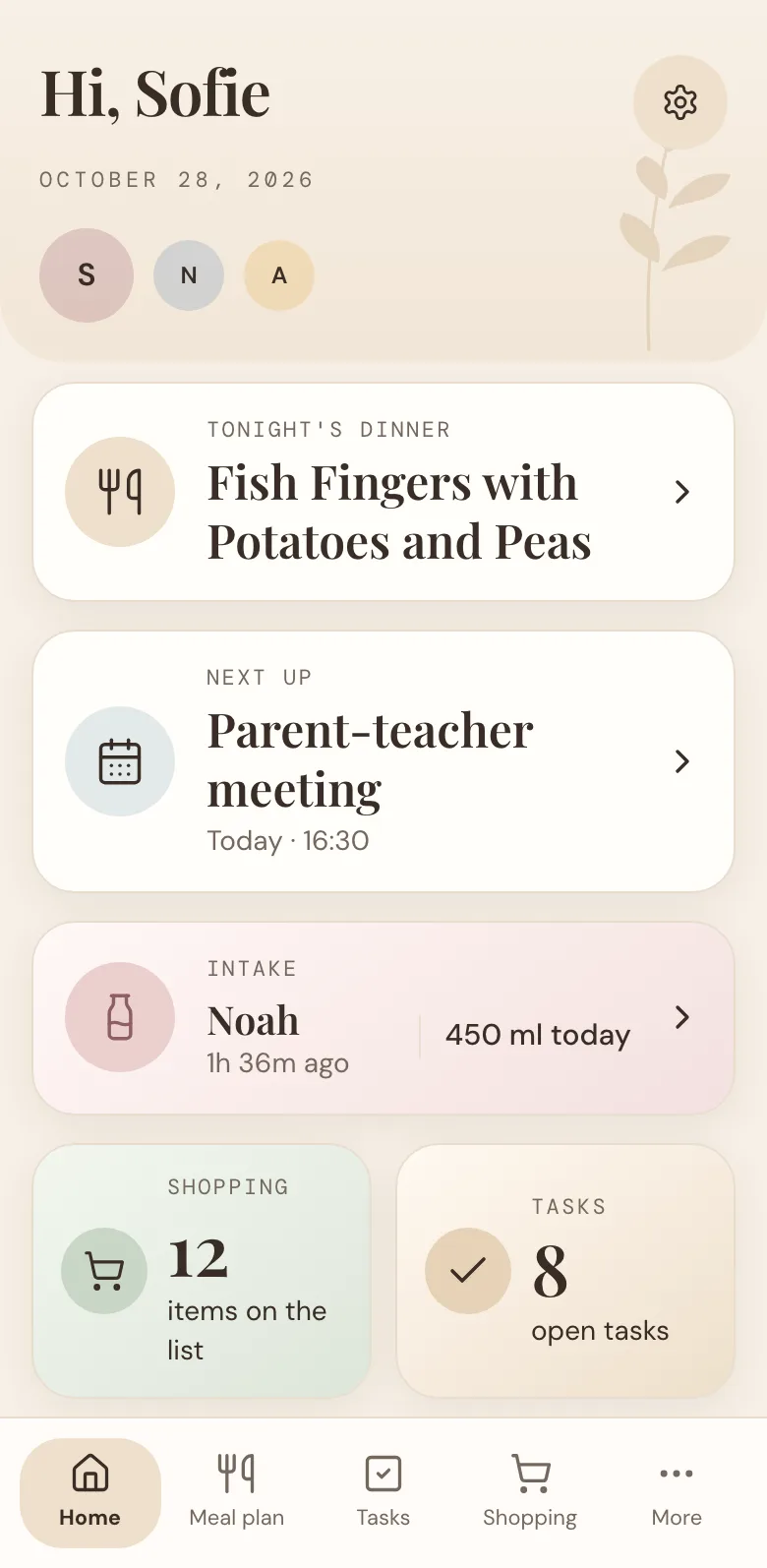
When you open the app, a Next up card shows the first thing on today's calendar. If today is clear, it shows the next event in the coming week instead. So whether it's the parent-teacher meeting at 16:30 or Saturday's birthday party, you see it at a glance, next to tonight's dinner and the shopping list.
Done for the day
An event that has already finished today doesn't simply vanish. It stays on the card, marked "Earlier today" and "Over", so you can still see what happened, such as the dentist appointment this morning.
When you're done with it, dismiss it. Dismissing is shared with your family: once one of you has cleared it, it's gone from everyone's phone, and the card moves on to what's next.
How to use it
- Open More and choose Calendar.
- Tap + to add an event. Give it a title and a time, or mark it as all day.
- Everyone in your family can see it straight away, and the next one shows up on the home screen.
The calendar is included for the whole family. Missing something? Tell us what you'd like to see.
More news
All news
Announcement
DaiTrace 1.0 is here
A calmer way to do family life is officially live: meals, tasks, shopping, calendar and lists in one place, free for the whole family.

Feature spotlight
Countdowns, for the days your family can't wait for
Count down to Christmas, the summer holiday or a birthday together. Here's how countdowns work, and how to get the most out of them.