Feature spotlight
Countdowns, for the days your family can't wait for
Count down to Christmas, the summer holiday or a birthday together. Here's how countdowns work, and how to get the most out of them.

"How many sleeps until Christmas?" If that question comes up at your breakfast table every morning, countdowns are for you.
A countdown is a date the whole family is looking forward to: the summer holiday, a birthday, the first day at the summer house. DaiTrace counts the days for you and shows them right on the home screen, so everyone can see how close it is, every time they open the app.
Countdowns are shared with your family. Any adult can add one, change it or delete it, and everyone sees the same count.
How it works
Open Countdowns
Tap More at the bottom of the screen and choose Countdowns. This is where all of your family's countdowns live.
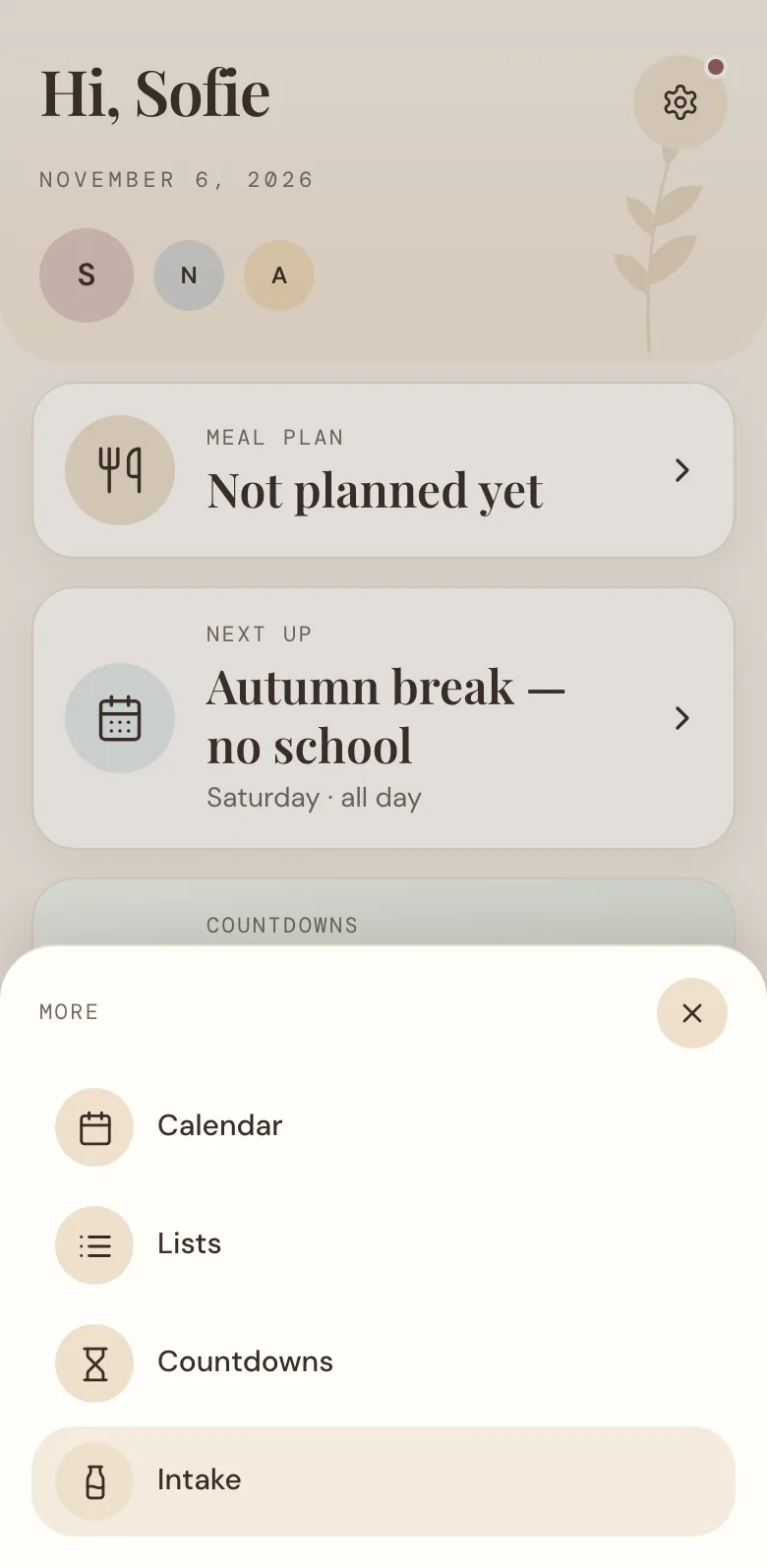
Make your first countdown
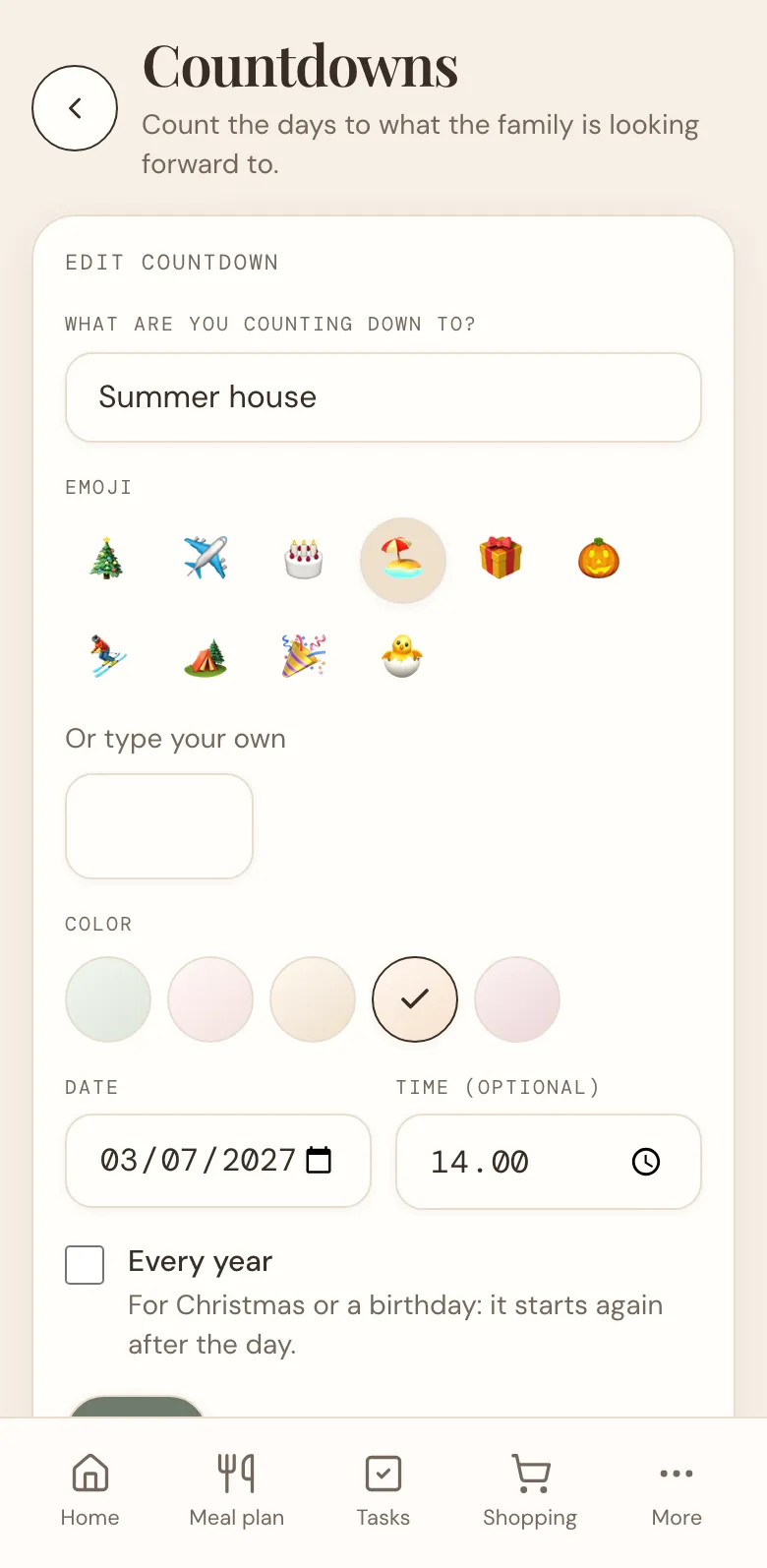
Tap New countdown and fill it in:
- What are you counting down to? A short name, such as "Summer house" or "Alma's birthday".
- Emoji. Pick one of the ten suggestions, or type your own.
- Colour. Sage, blush, sand, peach or rose. Give each countdown its own, so you can tell them apart at a glance.
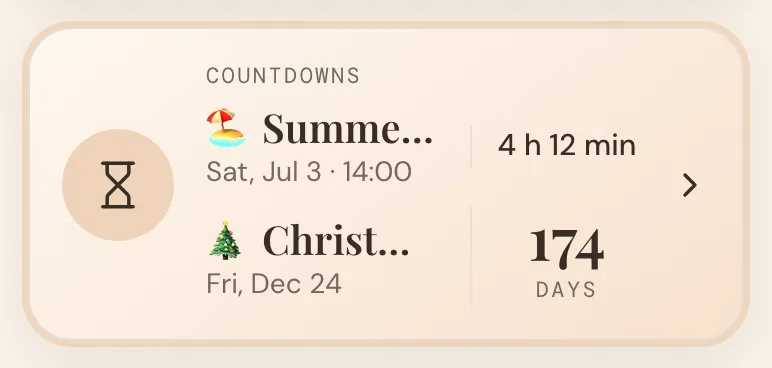
- Date, and a time if you like. With a time, the last day counts down in hours and minutes.
- Every year. Turn it on for Christmas or a birthday, and the countdown starts again the day after.
Tap Save, and the whole family can see it.
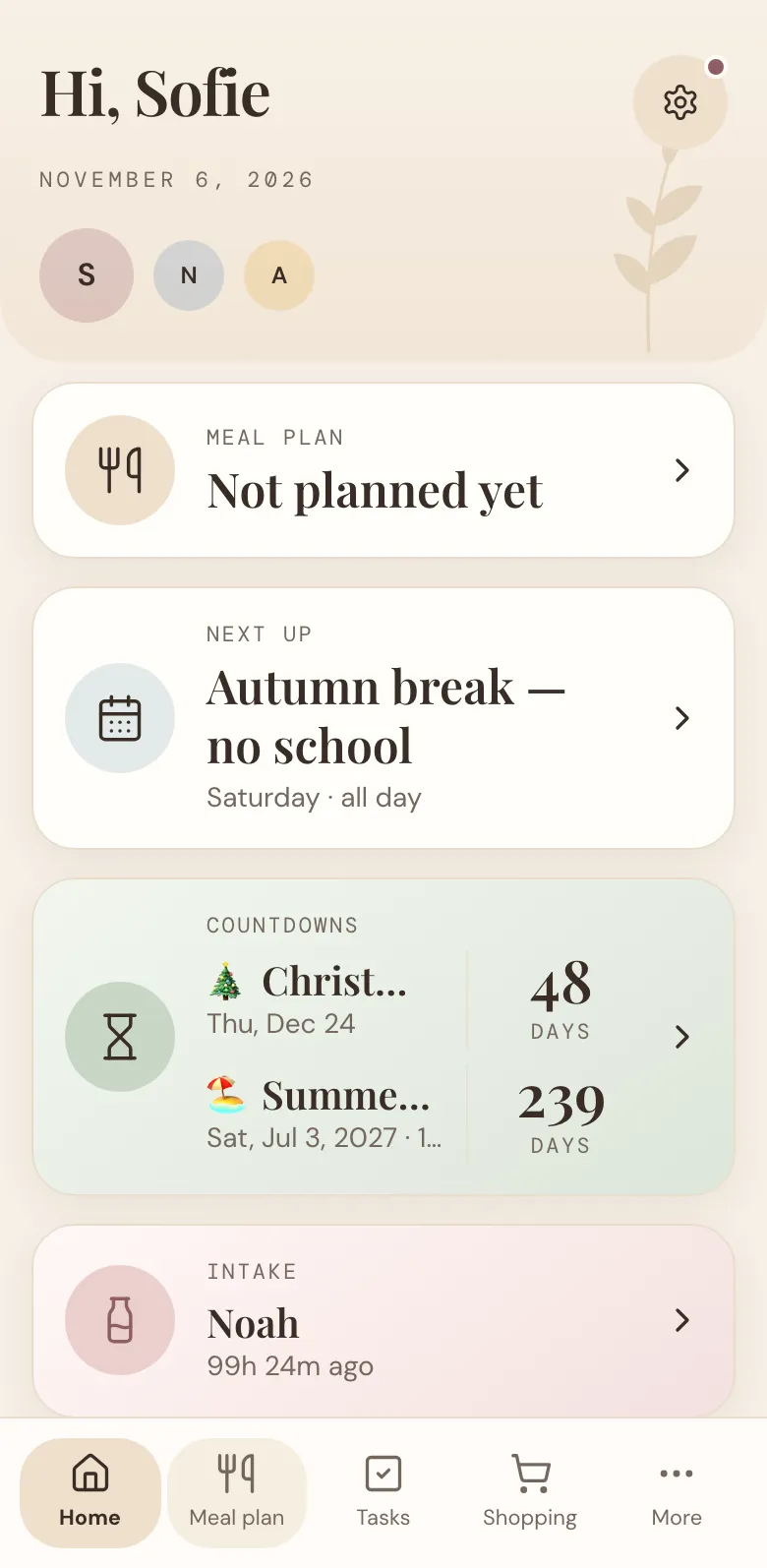
See it on Home
Your countdowns appear on the home screen in their own card, nearest first, with the number of days left in big letters. Tap the card to go straight to Countdowns.
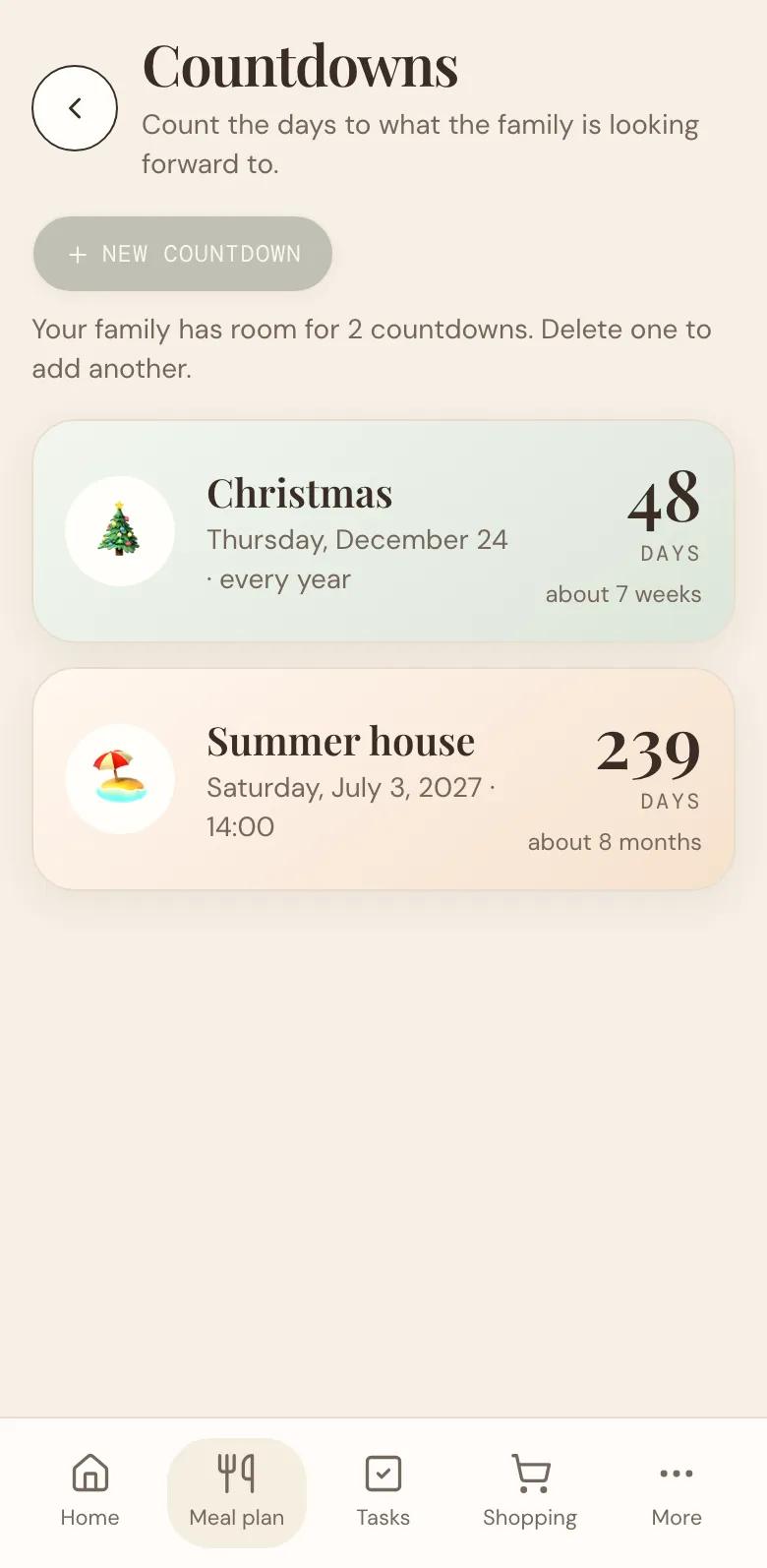
Keep an eye on the big day
On the Countdowns page, each countdown shows the date, the days left, and for long waits a gentler "about 7 weeks" or "about 8 months". Tap a countdown to change it or delete it.
Celebrate when it arrives
The day before, the count says Tomorrow. On the day itself, it says Today!, the card glows peach, and the emoji gives a little hop.
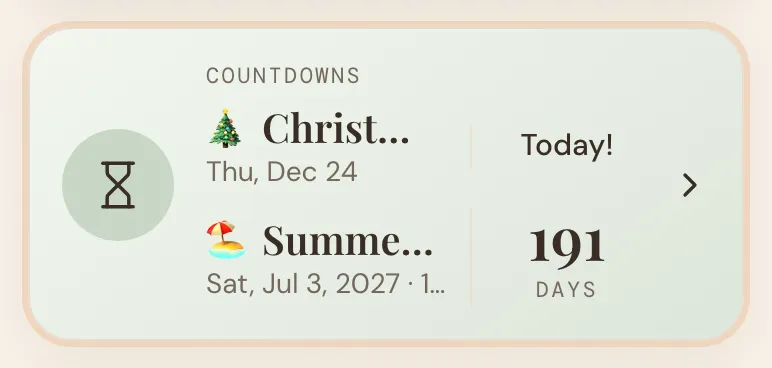
If you added a time, the last day counts down in hours and minutes instead. Four hours and twelve minutes until you pick up the keys to the summer house!
Getting the most out of countdowns
- Count down to the good stuff. Holidays, visits from grandparents, the first snow trip, a concert. A countdown turns waiting into something to look forward to together.
- Let the children follow along. The big number on Home is easy to read, and the emoji is easy to spot, so even the youngest can check how many sleeps are left.
- Use colours with meaning. Peach for trips, sage for celebrations, or one colour per child. Whatever works for your family.
- Make room when you need it. Your family has room for two upcoming countdowns at a time. When a countdown's day has passed, it moves to Past and makes room for a new one. Past countdowns disappear on their own after 30 days.
What are you counting down to? Open More → Countdowns and add it now. And if there's something you'd like countdowns to do, tell us.
More news
All news
Announcement
The calendar is back, with a Next up card
See the family's next event on the home screen, so the parent-teacher meeting or swimming lesson never sneaks up on you.

Announcement
DaiTrace 1.0 is here
A calmer way to do family life is officially live: meals, tasks, shopping, calendar and lists in one place, free for the whole family.